
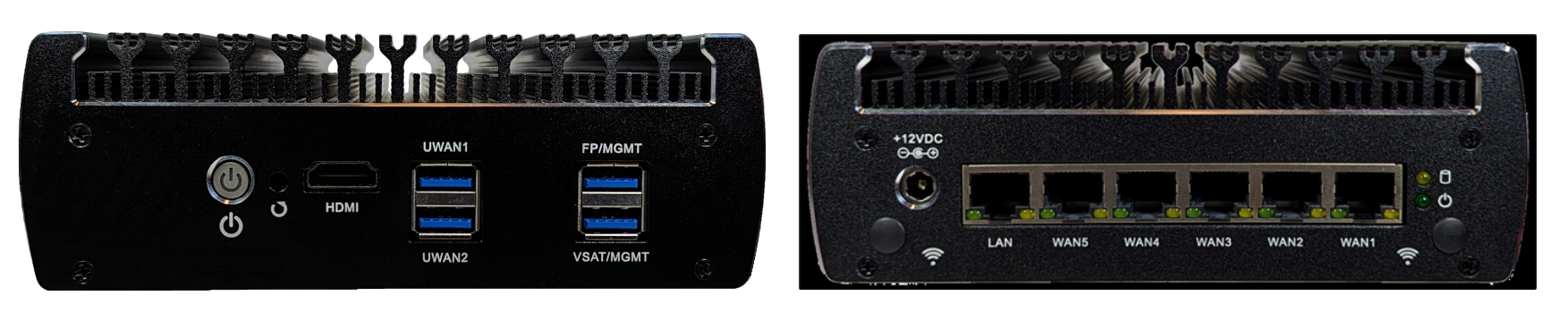
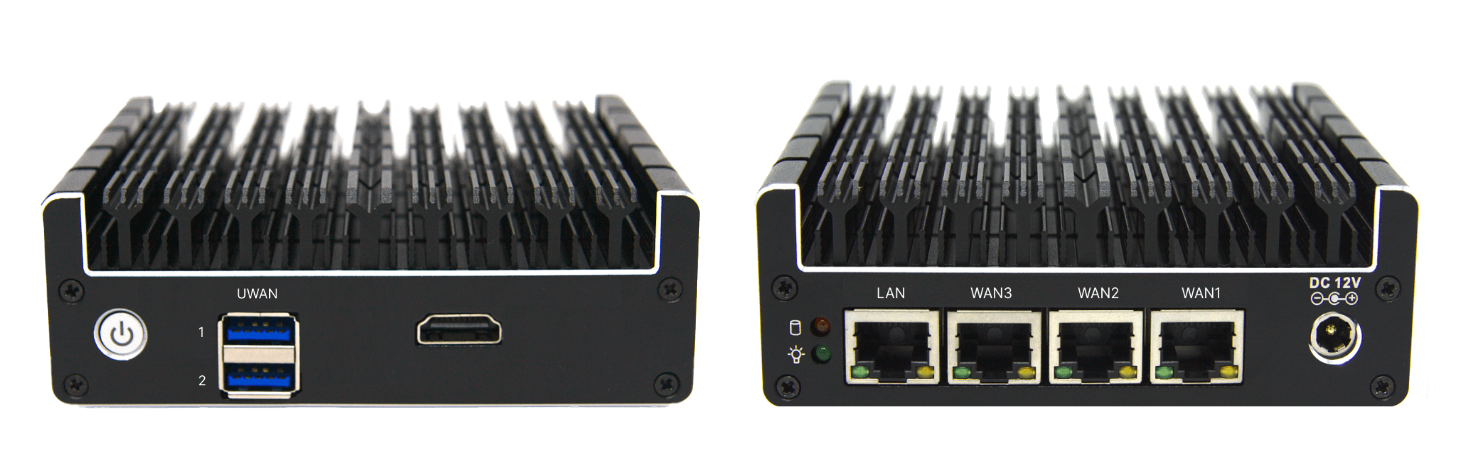
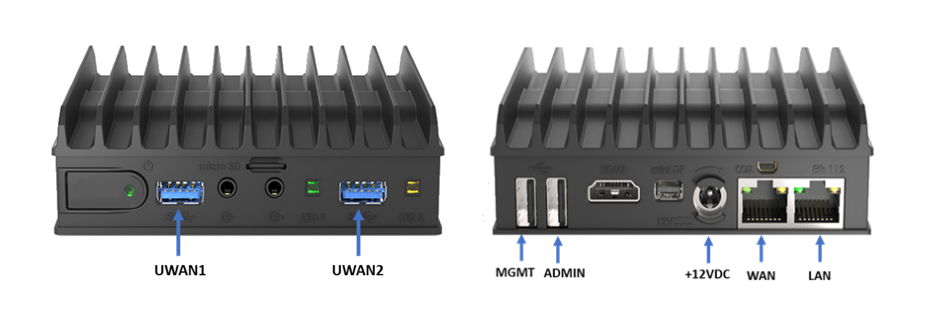
The different variants of Edge devices that we provide are shown below.
Power button
The Power button has 3 power states: On, Off and Sleep. The Sleep state is not widely used. The Power button being illuminated in Blue/Green color denotes that the device is Powered on.
Hard disk activity
The LED light on the back panel with the 
The EdgeFit device does not perform any write operations on the hard disk and therefore it does not have this LED indicator.
LEDs on the WAN/LAN ports
There are two LEDs provided on every WAN/LAN Port.
-
Link/Activity LED:
-
Color: Typically Green.
-
Status and Meaning:
-
Off: No link is established.
-
Steady On: A link is established but there is no activity.
-
Blinking: Indicates network activity (data being transmitted or received).
-
-
-
Speed LED:
-
Color: Can be Green, Yellow, or Off, depending on the link speed.
-
Status and Meaning:
-
Off: 10 Mbps link speed.
-
Green: 100 Mbps link speed.
-
Yellow: 1 Gbps link speed.
-
-
Typical LED Behavior
-
When a network cable is connected and a valid link is established, the Link/Activity LED will turn on and might blink to indicate data transmission or reception.
-
The Speed LED will light up in different colors to indicate the speed of the network connection.
-
If the Link/Activity LED is off, it suggests that there is no physical connection or the network interface is disabled.
-
If the Speed LED is off while the Link/Activity LED is on, it usually means the connection is at 10 Mbps.
Troubleshooting with LEDs
-
No LEDs Lit: Check the network cable and connections. Ensure the NIC is properly seated in its slot.
-
Link/Activity LED Off, Speed LED Off: No physical connection or NIC disabled. Check network cable, switch, and NIC settings.
-
Link/Activity LED On, Speed LED Off: Connection is established at 10 Mbps. Ensure the network supports higher speeds if needed.
-
Link/Activity LED Blinking, Speed LED Lit: Normal operation with network activity.
Conclusion
The LED indicators on the WAN/LAN ports provide useful visual feedback for network status and activity. Understanding the meanings of these indicators can help in effectively managing and troubleshooting network connections.
Note: The light indicators do not blink/flash to denote any specific hardware issue. If your issue is not covered in this guide, please contact our support team. They will be able to assist you further.