
Release Notes of 8.0 Build 99
Bug Fixes
-
Correction for CAN session usage undercount – Occurred in certain network topologies when DHCP lease time was shorter than the inactivity timer.
-
Correction for CAN User Portal feature visibility – Features from Cloud were missing due to failed Cloud sync.
-
Correction for CAN session accounting stall – Issue required system restart to recover.
-
Correction for VOIP Server Name (Domain name) configuration – Configuration was not taking effect.
-
Correction for VSAT Management Interface UI – ACU IP field was not editable.
-
Correction for ES120 device interface mapping – USB interface mapping was incorrect compared to labeling.
Release Notes of 8.0 Build 97
Feature / Enhancements
-
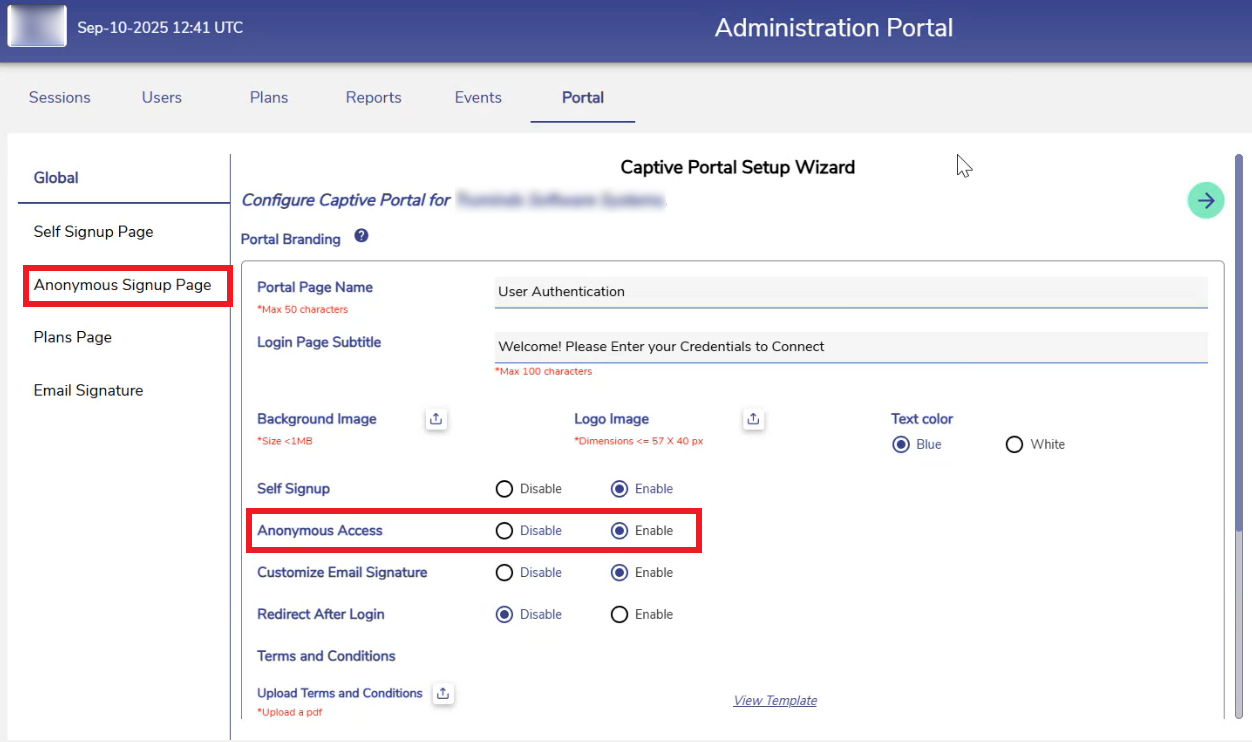
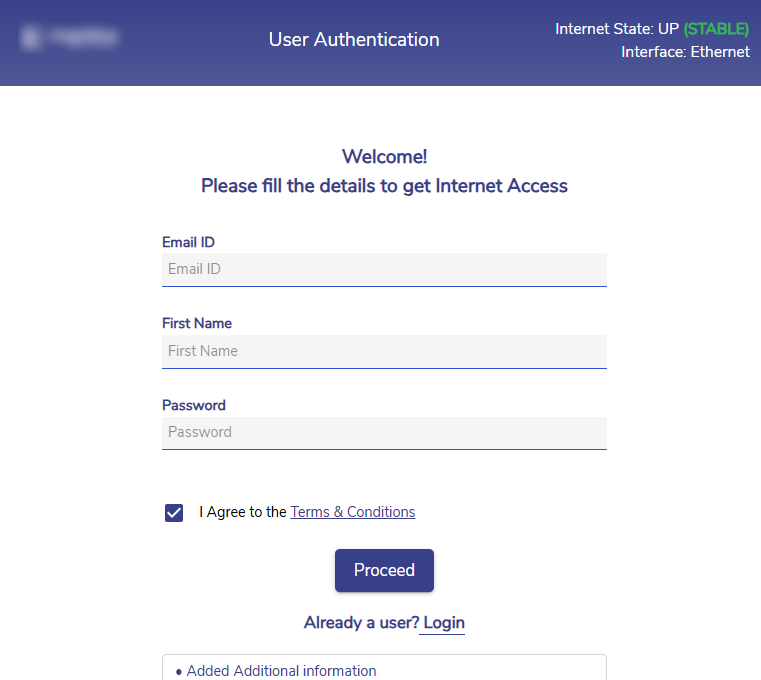
Anonymous CAN user support
-
CAN User Portal shows last 3 months Plan History
%20(1)-20250910-134259.png?cb=7826c96af575a94124f52375a96603d5)
-
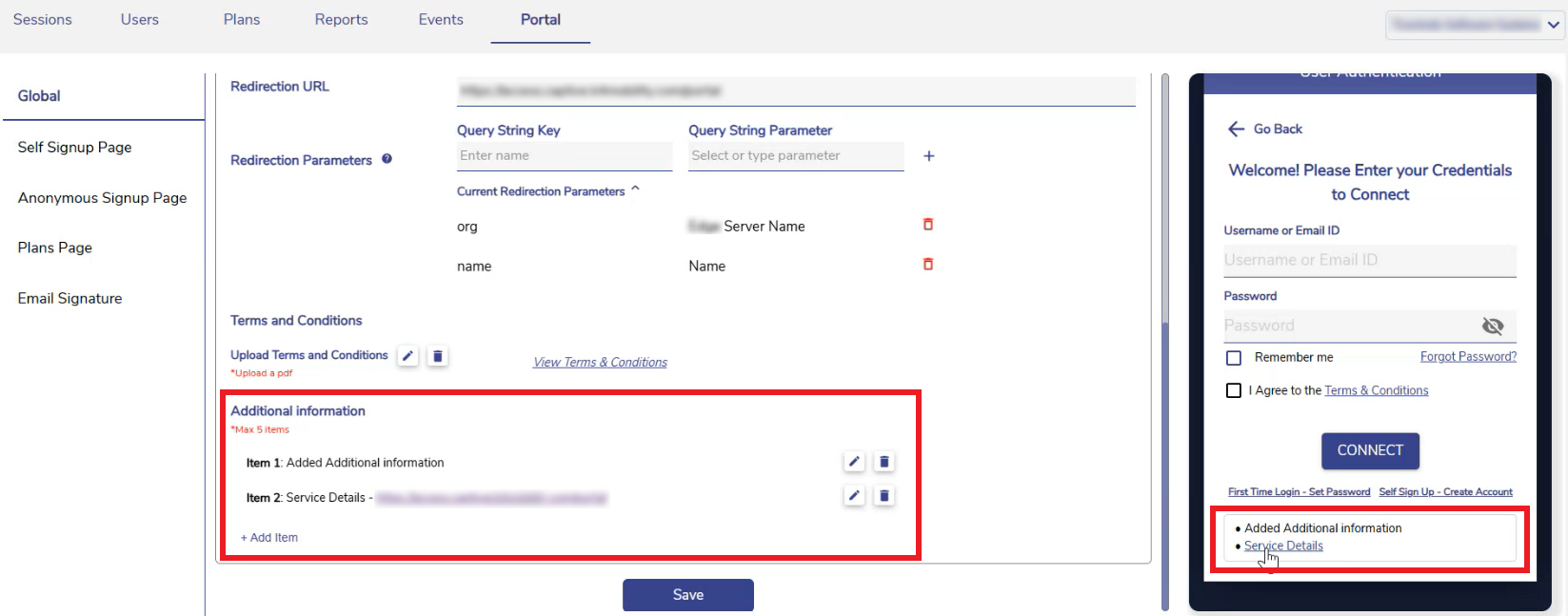
CAN User Portal to have Additional Information sub section
-
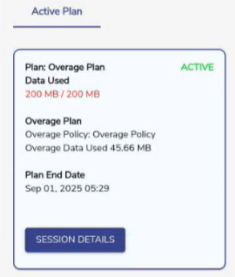
CAN User Portal to show Overage Data
-
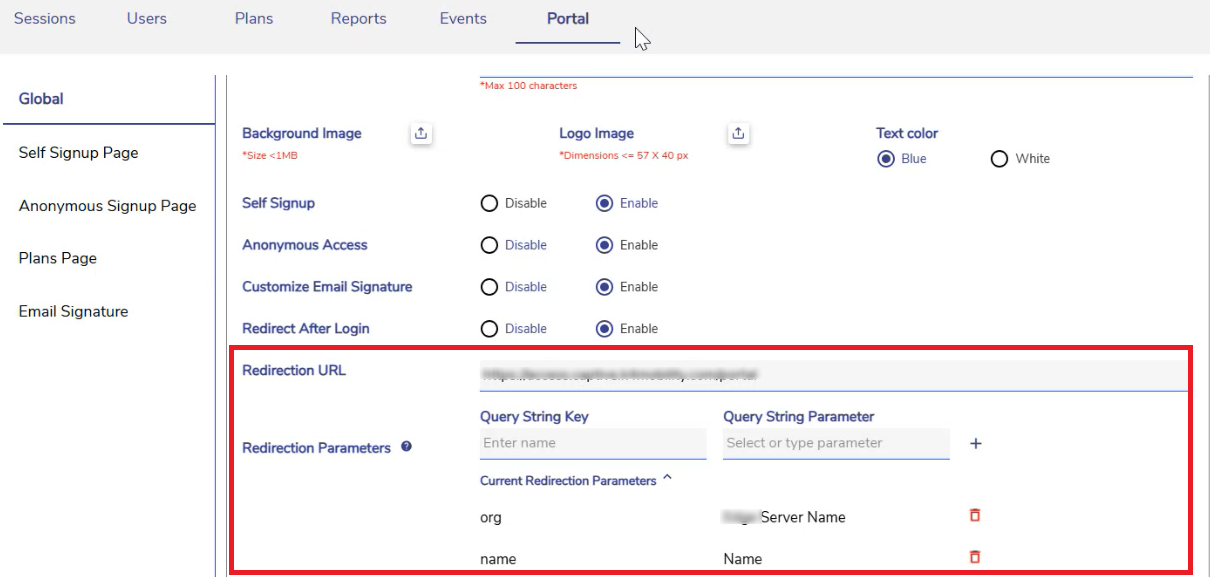
Support for redirection URL post login to have query parameters for all User types
Bug Fixes
-
Correction for IPS on Routed networks
-
Deprecate old Config Restore APIs to avoid system getting bricked on doing Config restore following the Software upgrade to 8.0 release
-
Correction for SIP trunk losing connection – configured retry for 24 hours
-
Correction for Site Name handling when name has ampersand “&” - This caused CAN accounting/reporting issues
-
Correction for login failure on VX (increased the API timeout)
Release Notes of 8.0 Build 84
Feature / Enhancements
-
Captive User Portal updates to support Paywall and legacy plan options
-
Captive User Portal to support Post Login Landing page - In the Portal tab of the Captive Administration Portal, the admin can configure a specific URL to redirect users after a successful login to the User Portal - Refer the following page for more information CAN Admin Portal - Portal tab
-
Customized Captive User Portal UI elements per DP - Admin can set a customized Background image and Logo. Refer the following page for more information CAN Admin Portal - Portal tab
-
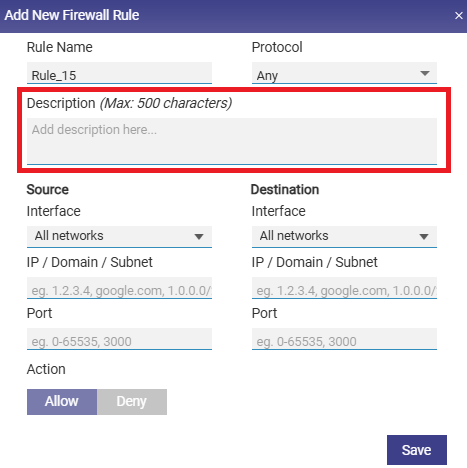
Description/Notes field added to the firewall configuration
-
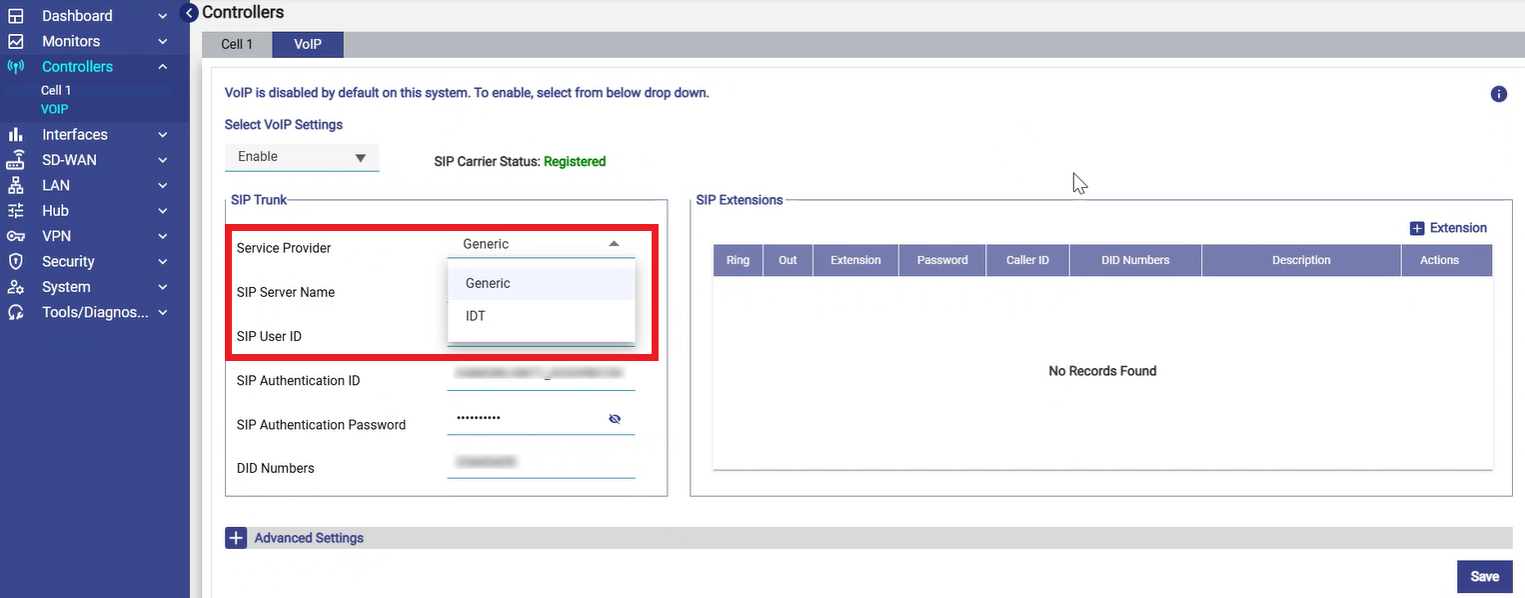
Option to select a VOIP Service Profile that uses a unique dial plan (IDT)
Bug Fixes
-
Minor updates on UI - logo alignment, font auto sizing etc
-
Hub Password as optional configuration
-
Correction for Speedtest on Access Network
-
Knowledge Base URL based on the White label configurations
-
Correction for VOIP issue with US dialing
-
Support reconfiguration of interfaces on VX post VM creation
Release Notes of 8.0 Build 64
Feature / Enhancements
-
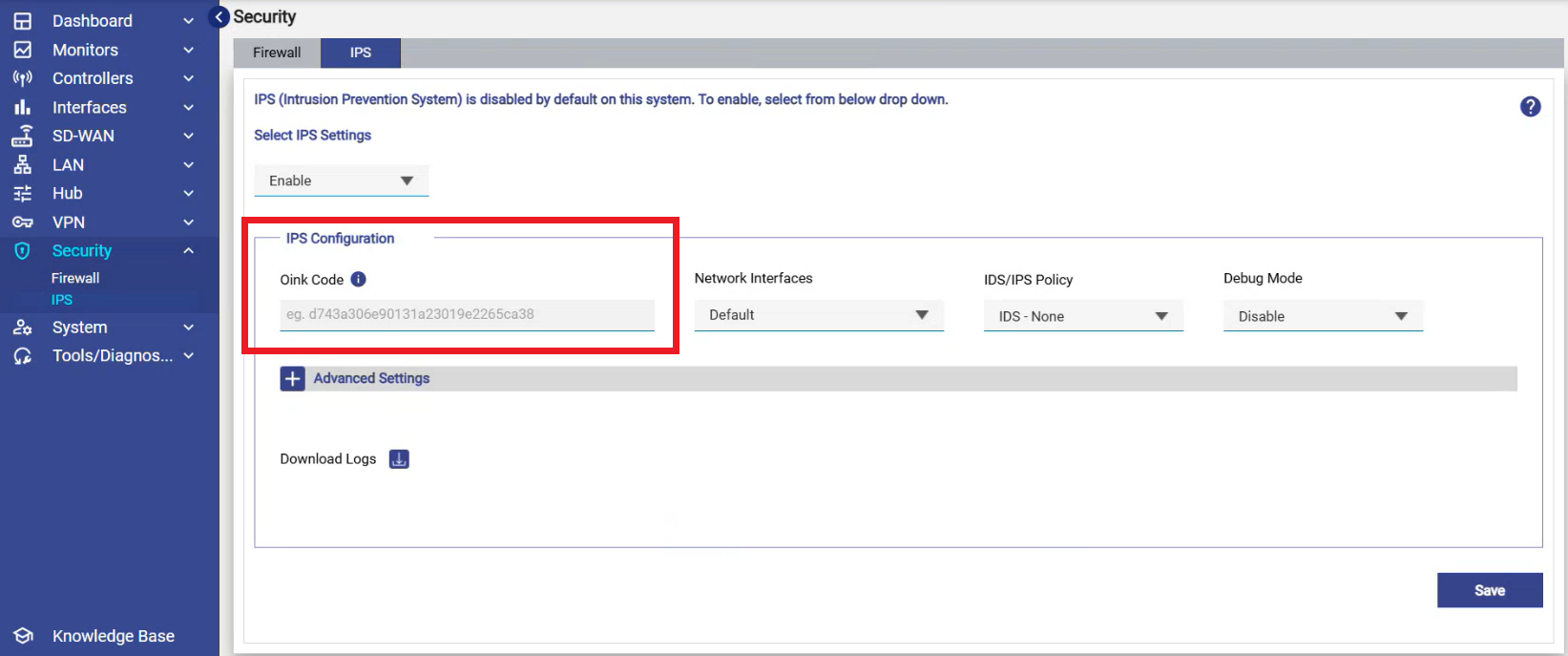
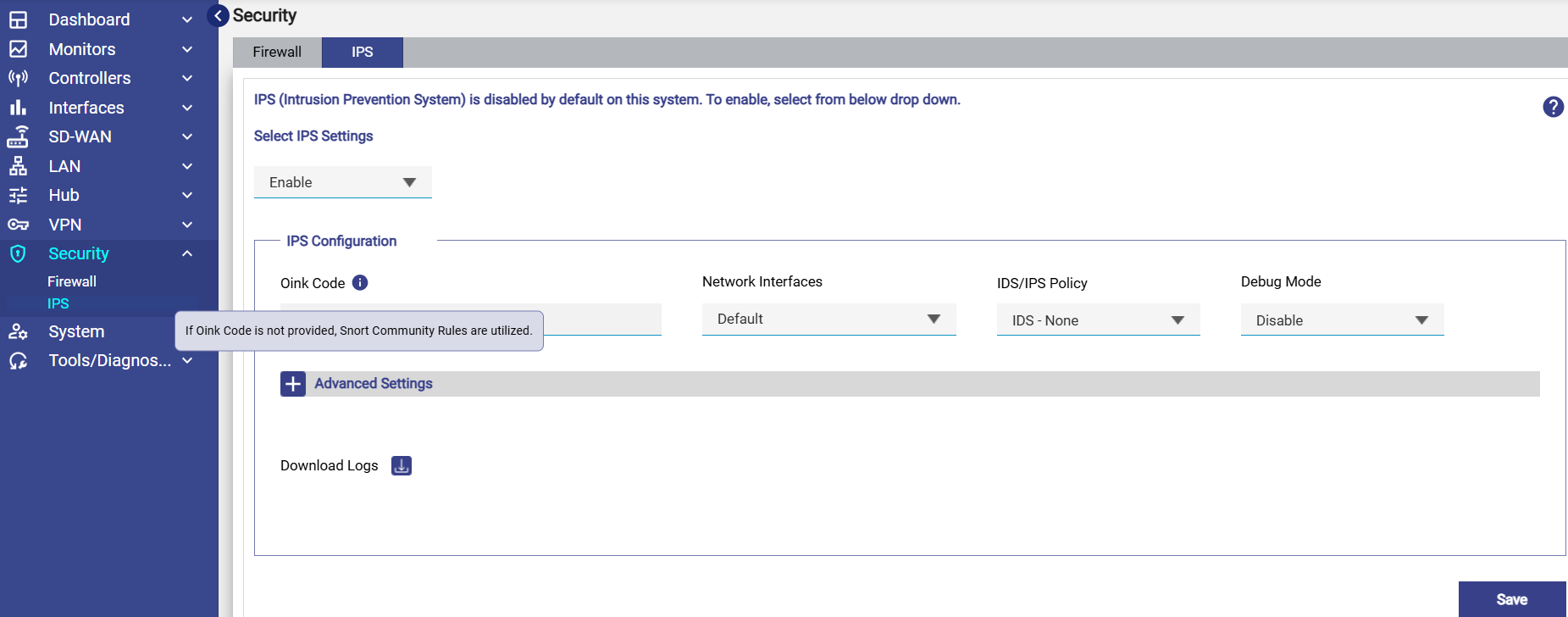
Support for Edge Secure Private License where the user can enter the Talos/Cisco Code for IPS service
-
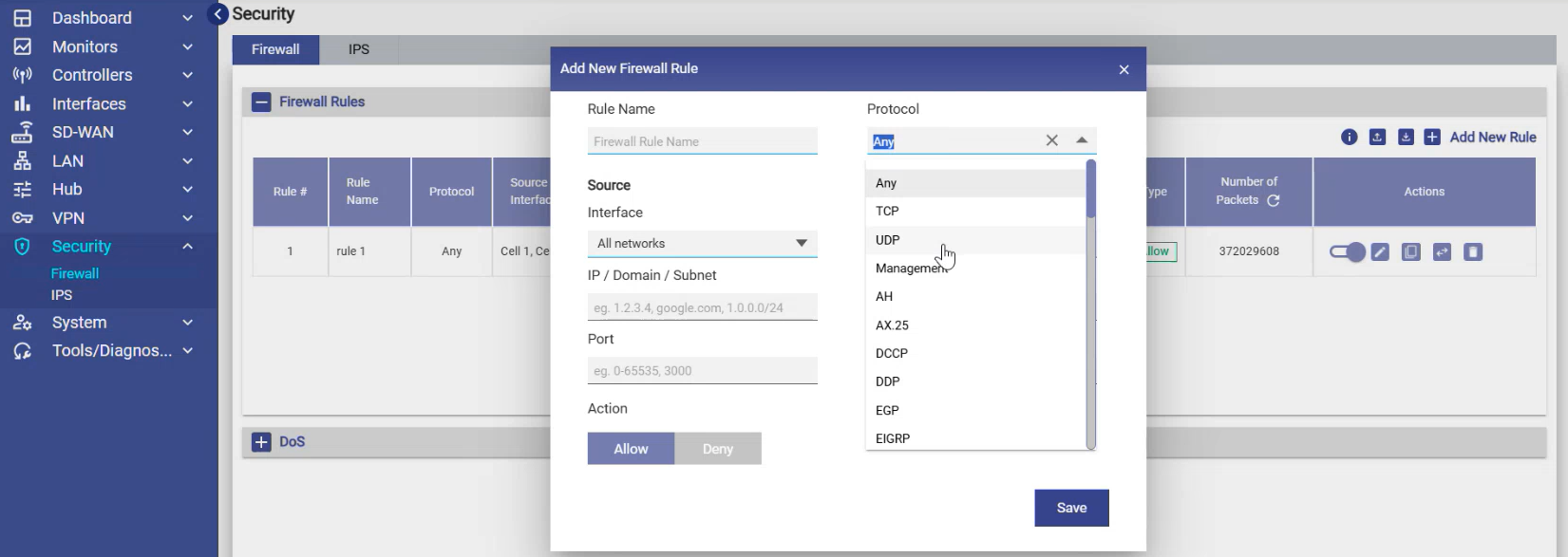
Firewall configuration enhanced to support many protocols – along with the TCP/UDP/Management
-
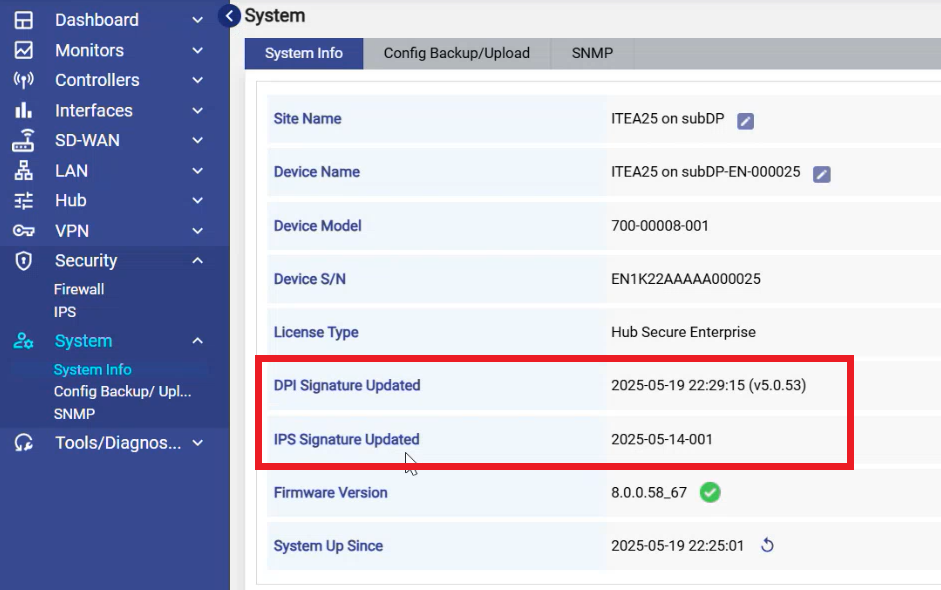
Show Application Identification and IPS Signature Package Version in System Info screen
-
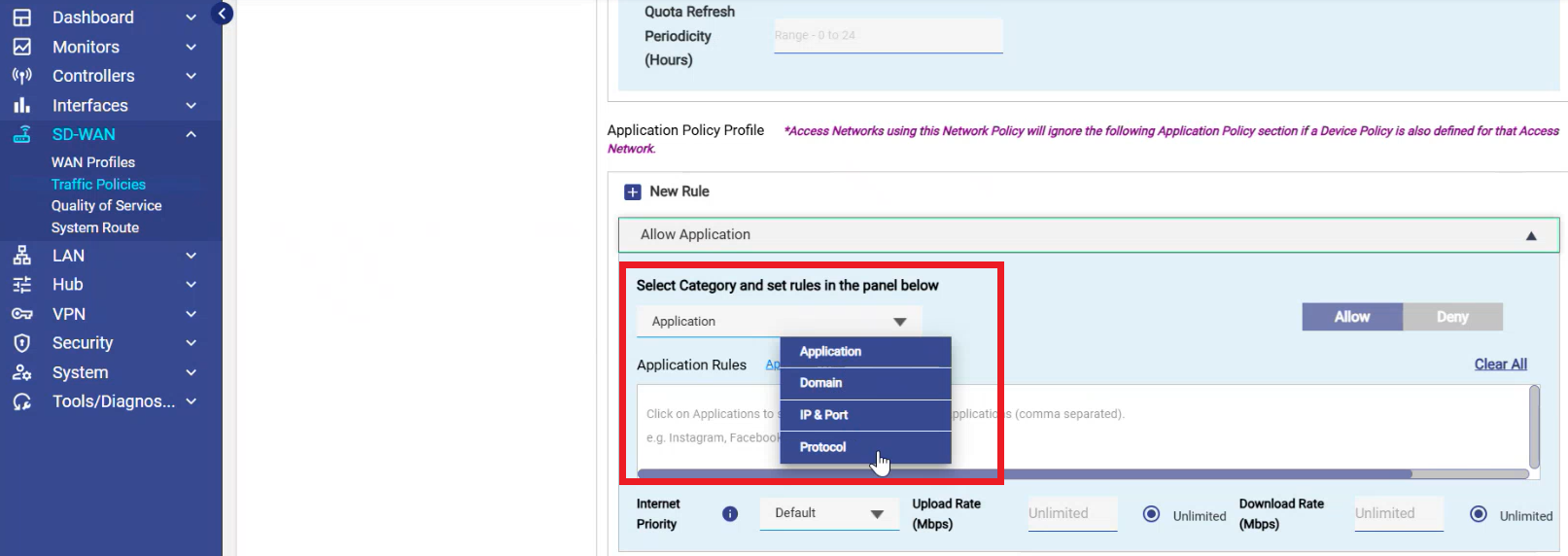
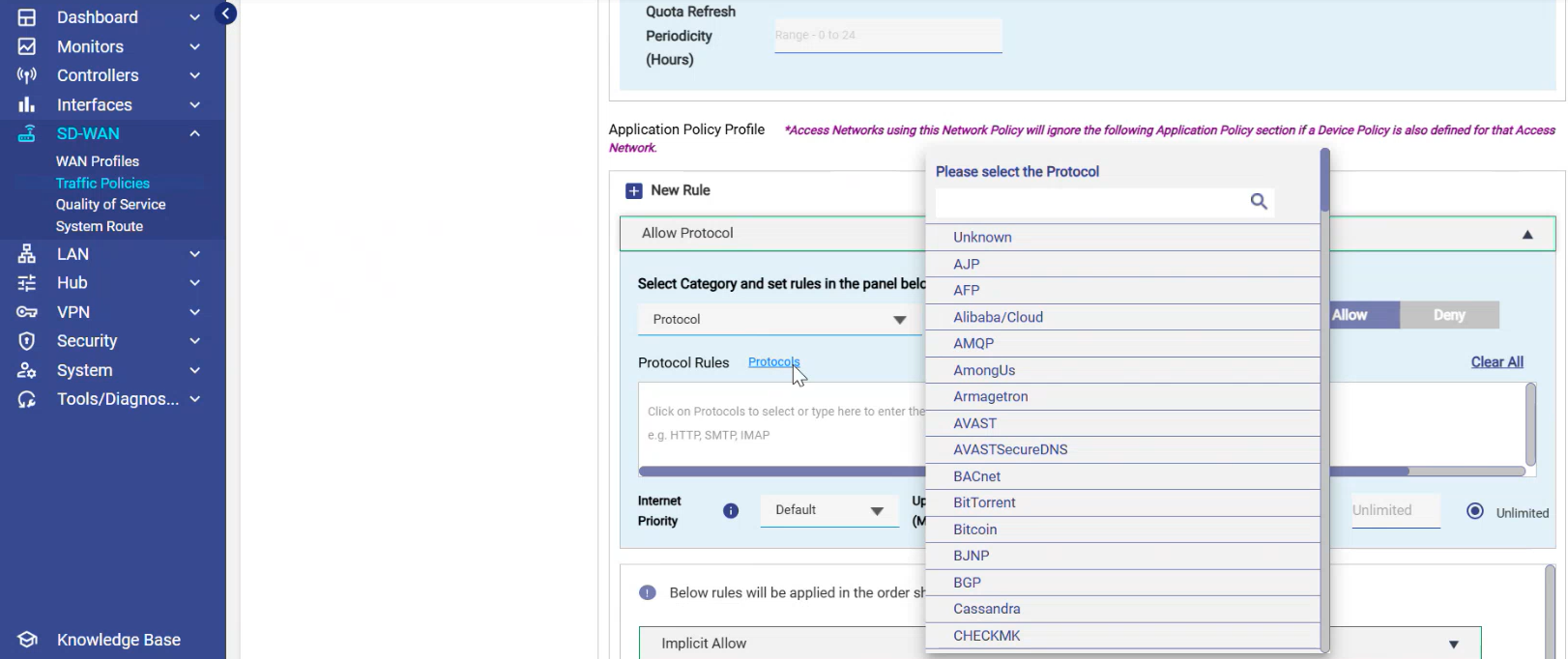
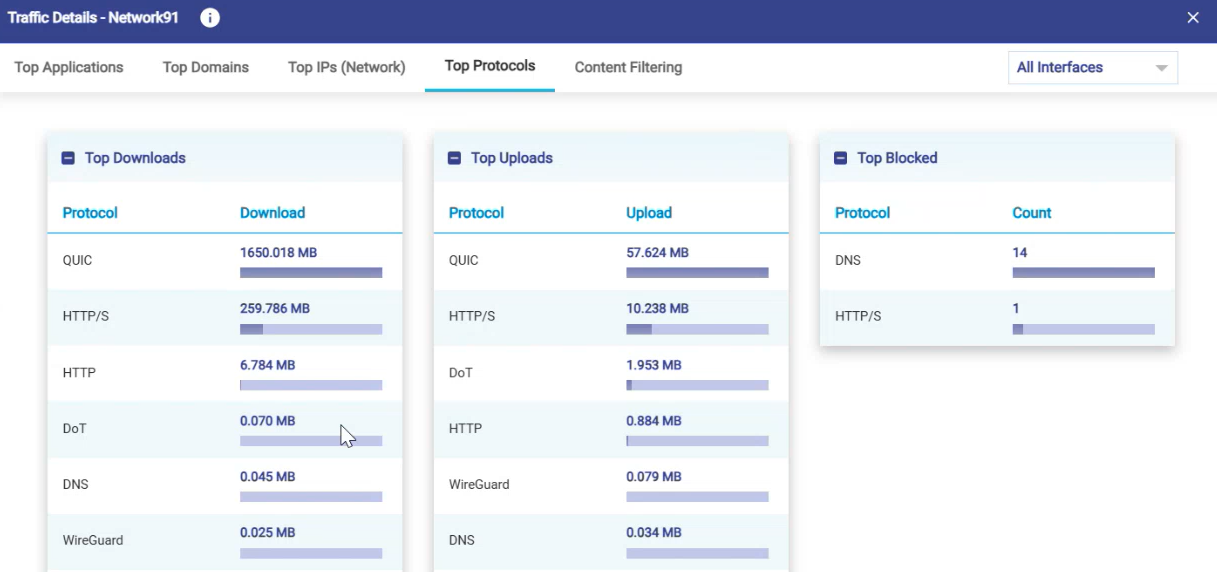
Traffic policy configuration is enhanced to include Protocol selections similar to application and domains/IPs
-
Speedtest Enhancements
-
Speedtest UI is normalized across various screens
-
Ability to pick the server and native interface or Hub in Speedtest UI
-
Realtime chart / traffic graph is shown during the Speedtest
-
%20(1)-20250521-133444.png?cb=0e070a24dd7a57f003abe5c7f2f52b01)
-
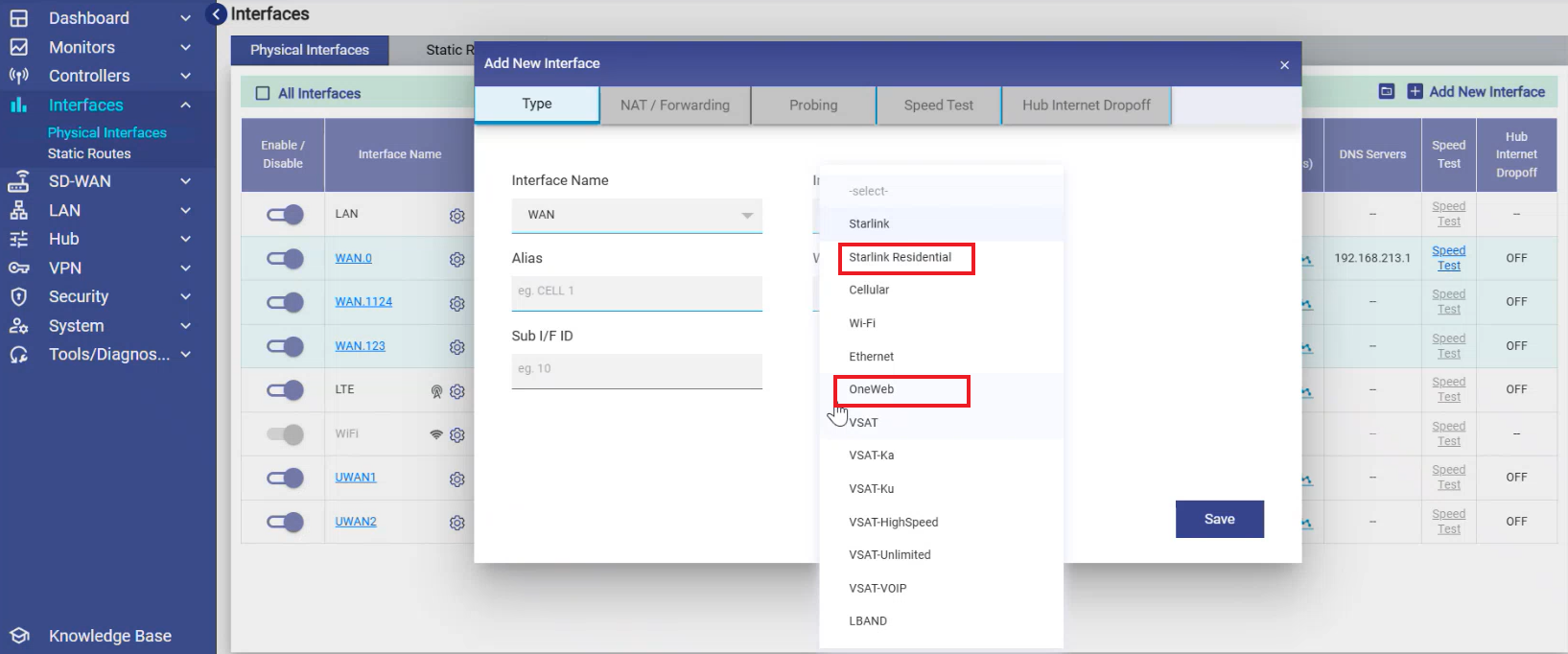
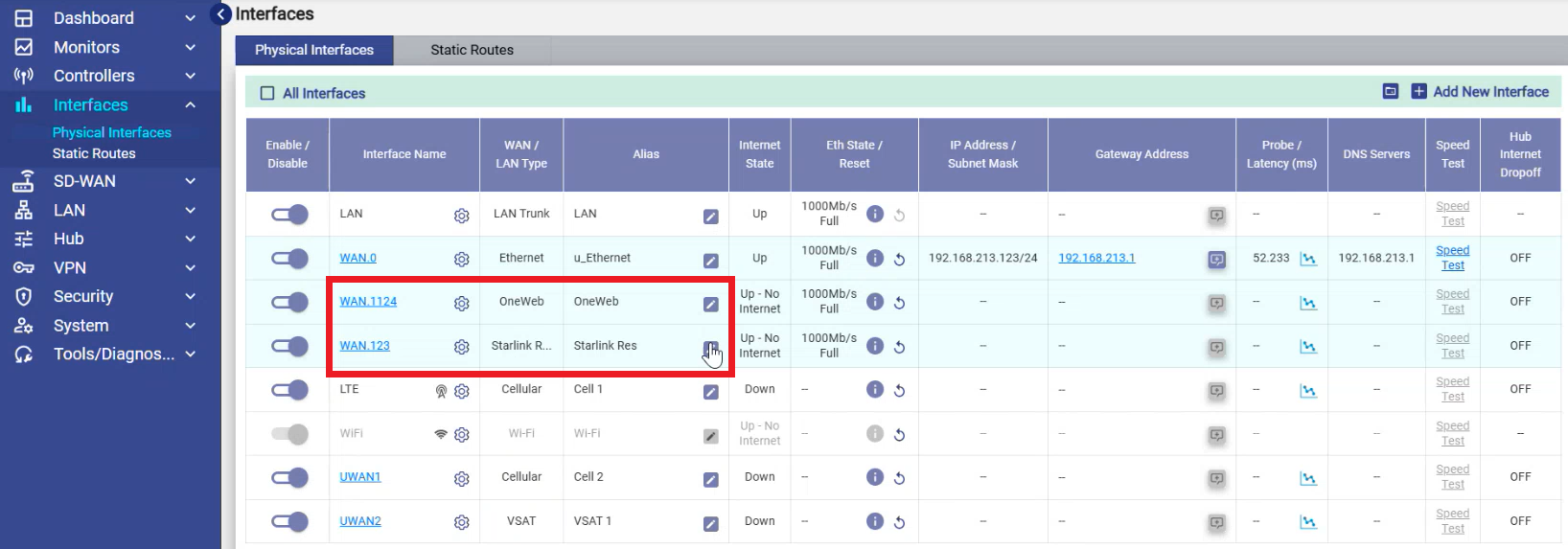
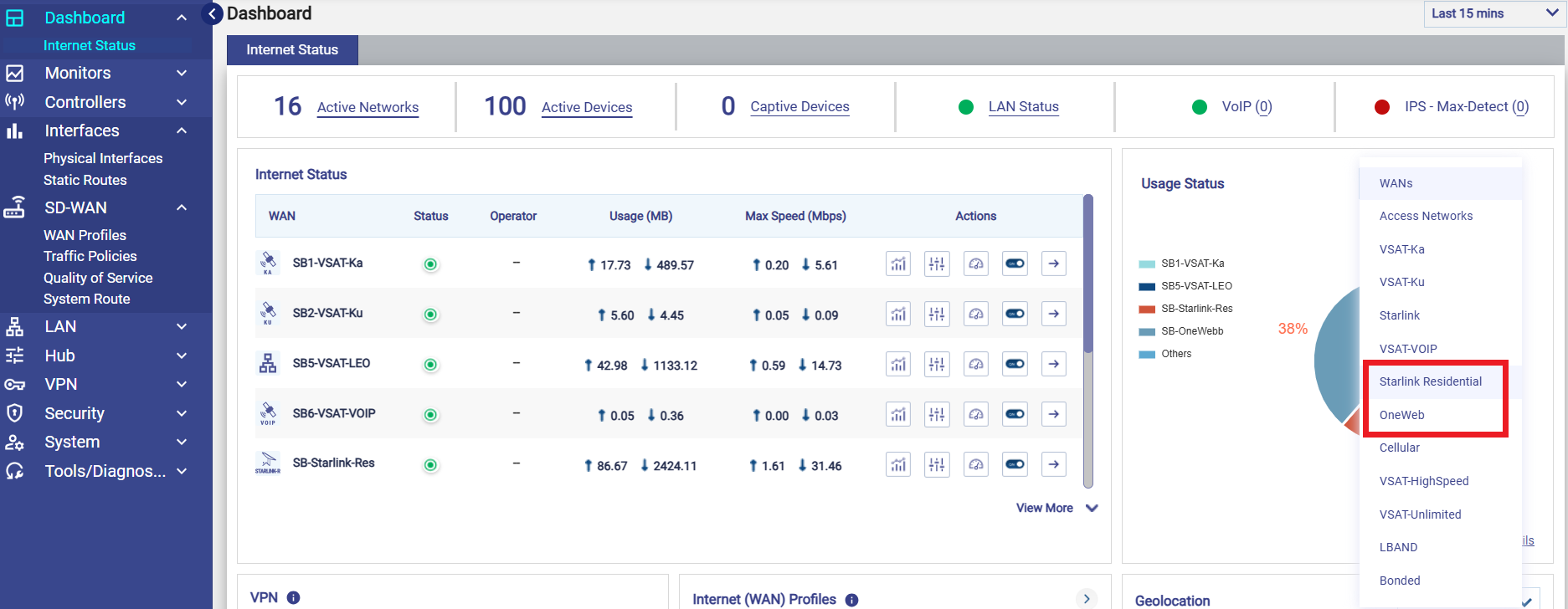
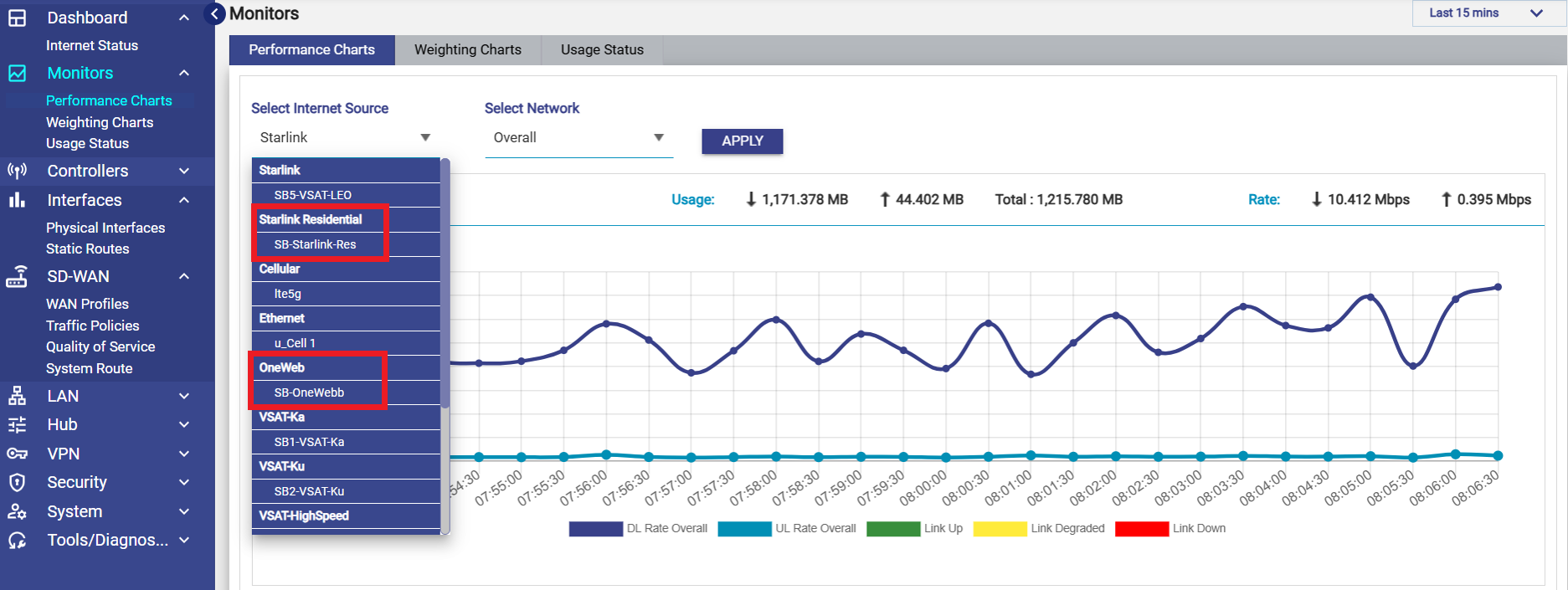
Support for OneWeb, Starlink-Residential - New WAN interface types added
-
Captive User Portal updates to support Overage Plan
Bug Fixes
-
Config Restore dependency on Licensing updates (IPS licenses) is handled gracefully
-
Larger systems (150+ user devices) causing high CPU/memory alerts is optimized
-
EdgeFit4 with starlink interfaces is corrected
-
Knowledge Base updates for white label customers handled with the new Edge UI
Release Notes of 8.0 Build 25
Feature / Enhancements
-
Edge OS UI redesign – Please use the following link to access the Knowledge Base - KonnectOS 8.0
-
CAN User Portal update – to support Plan/Quota based on WAN types
Bug Fixes
-
Updates to Default Probe setting and bonding parameters for Starlink interface to reduce the frequent rebalancing