
The Kognitive Cloud by Kognitive Networks is a comprehensive cloud-based platform designed for network management and monitoring. It provides users with capabilities such as site management, trend analysis, event alerts, reporting, account management, and inventory control. Kognitive Cloud also includes features for quota control, Starlink Cloud integration, and captive network administration. This portal is essential for efficient management of Kognitive Networks' hardware and software solutions, offering users a centralized and intuitive interface for overseeing their network.
Login
-
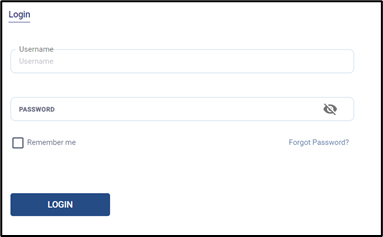
The Login Screen enables the user to login into their account.
-
The users can access the account using their unique credentials.
-
The below details will be entered by the user.
-
Username – Username of the user
-
Password – Password of the user
-
-
Click LOGIN to login into the account.
-
In case the user forgets the Password, click on Forgot Password? to reset it.
Kognitive Cloud Homepage
-
Clicking the LOGIN button opens the Kognitive Cloud Homepage.
-20240709-114753.png?cb=28d81b5a270f40c74b04fe8bb623a5ee)
The Homepage of the Kognitive Cloud consists of the below screens. The functions of these screens are explained in the following pages:
Password Reset
-
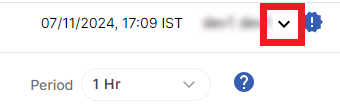
To reset the password of the Kognitive Cloud account, click the dropdown arrow at the top right corner of the screen.
-
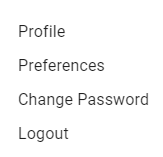
Click Change Password option from the dropdown menu.
-
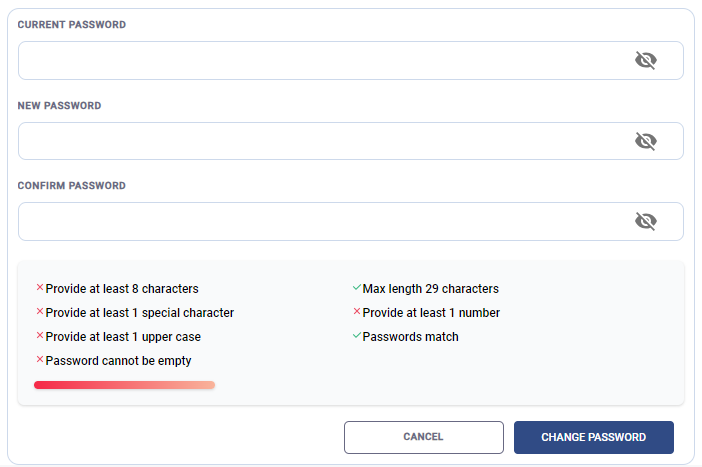
The Change Password screen opens as shown below:
-
Enter the Current Password.
-
Enter the New Password as per the on screen guidelines.
-
Re-enter the New Password to confirm it.
-
Select Change Password button to change the password.
-
Select Cancel button to cancel the operation.